Privacy Policy
Last updated: May 17, 2026
Overview
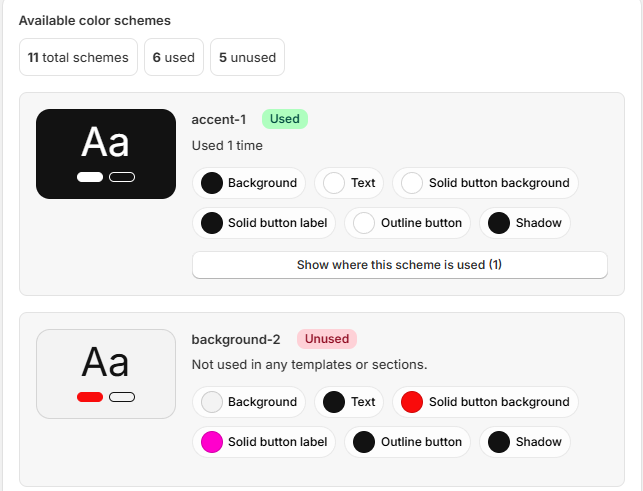
Schemify is a Shopify app that helps merchants inspect and manage theme color scheme information. This policy explains what information we collect and how it is used.
Information we may collect
- Store information required to install and operate the app, such as shop domain and app installation status.
- Theme-related data needed to scan color schemes, usage locations, scheme values and change history.
- Basic technical logs used for security, debugging and improving the app.
How we use information
We use collected information to provide app functionality, display color scheme usage, track activity history, create backups when requested, maintain security and improve reliability.
Data sharing
We do not sell merchant data. We may use trusted service providers to host, store or process app data only as needed to operate Schemify.
Data retention
Activity history and backups may be retained according to your selected plan limits. You may request data deletion by contacting us.
Contact
For privacy questions, contact us at support@getschemify.app.
Terms of Service
Last updated: May 17, 2026
Use of the app
By installing or using Schemify, you agree to use the app only for lawful purposes and in accordance with Shopify platform rules.
App functionality
Schemify scans Shopify theme color scheme information, displays usage locations, tracks changes and may store backups depending on your plan. The app does not guarantee compatibility with every custom theme.
Billing
Paid plans are billed through Shopify according to the plan selected during installation or upgrade. Trial availability, plan limits and pricing may change over time.
Limitations
Schemify is provided as-is. We aim to keep the app reliable, but we cannot guarantee uninterrupted availability or error-free operation.
Merchant responsibility
You are responsible for reviewing any theme color changes you make in Shopify. Backups and history are intended to help you understand and manage color scheme data.
Contact
For support or questions about these terms, contact us at support@getschemify.app.